Support for Included and Excluded Package Components
Stay is enhanced to allow users to specify whether the components added to a package rate plan are Included or Excluded. This enhancement provides greater flexibility in defining how the prices of fixed, allowance, or add-on components are applied to the overall room or package rate.
Package Components - Included
When a Component is defined as Included, its price is included in the package rate.
For example, for a package with a base rate of $500, when a Component, Breakfast, is added with a cost of $50 and marked as Included, the Component’s rate is treated as part of the total package amount. In this case, the nightly room rate becomes $450, with the Breakfast Component making up for the remaining $50 of the total package rate.
Package Components - Excluded
When a Component is defined as Excluded, its price is added on top of the package rate and is not included in the package amount.
For example, for a package with a base rate of $500, when a Component, Parking Fee, is added with a cost of $50 and marked as Excluded, the Component’s rate is not treated as part of the total package amount. In this case, the nightly room rate remains $500, and an additional $50 is charged for the Parking Fee Component, resulting in a total package rate of $550.
Feature Setting
The following new feature setting must be enabled to use this feature.
-
Name: Pricing Inclusion for Package Components
-
Comments: License is not required
Define Pricing Inclusion/Exclusion of Components
The field name, Base Room Rate, in the Seasons tab of the Add/Edit pop-up screens has been modified as Base Rate. The rate defined in this field indicates the base rate of the package and not the room rate for the package reservation alone.
When the Pricing Inclusion for Package Components feature setting is enabled, users define whether the price of the fixed, allowance, or add-on components added to a package rate plan is inclusive or exclusive of the base rate of the package.
A new field, Pricing, has been added to the Components tab of the Add/Edit pop-up screens and is displayed when users select fixed or add-on components for the package. This is a single-select drop-down list that displays the following options:
-
Included: When selected, the price of the component will be inclusive of the total package rate. This option is selected by default.
-
Excluded: When selected, the price of the component will be exclusive of the total package rate.
The following messages are displayed as a banner in the Components tab along with an information icon:
-
Included - Use this when the component's cost is included in the package rate.
-
Excluded - Use this when the component's cost is not included in the package rate.
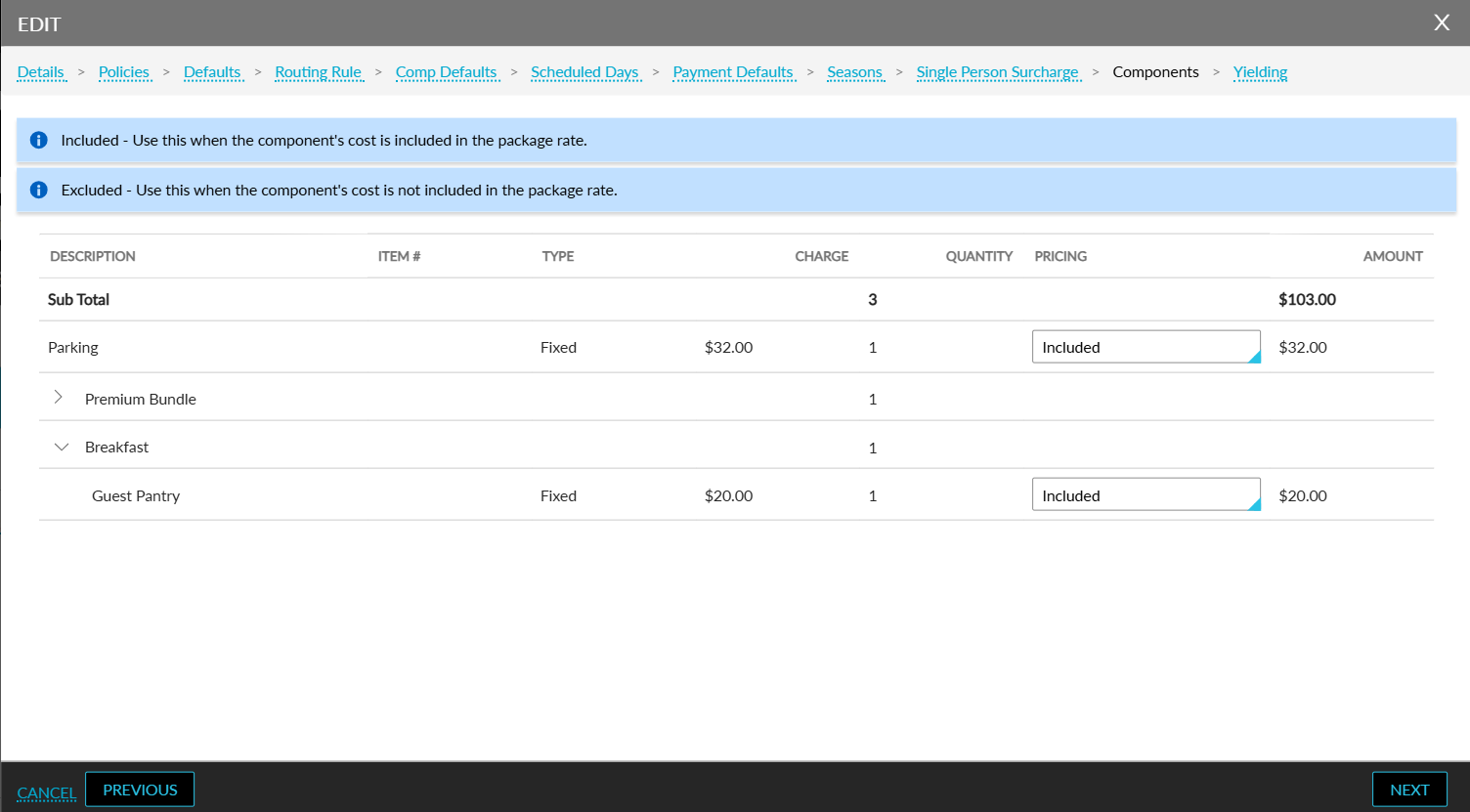
Users can also define variable pricing for the components. Previously, the Components amount based on date range option was displayed in the Frequency section of the Components tab. Now, when users select the preferred frequency for the components and click Next, a new section, Pricing, will be displayed.
Users can configure variable pricing for the components by clicking on the Add hyperlink in this section.
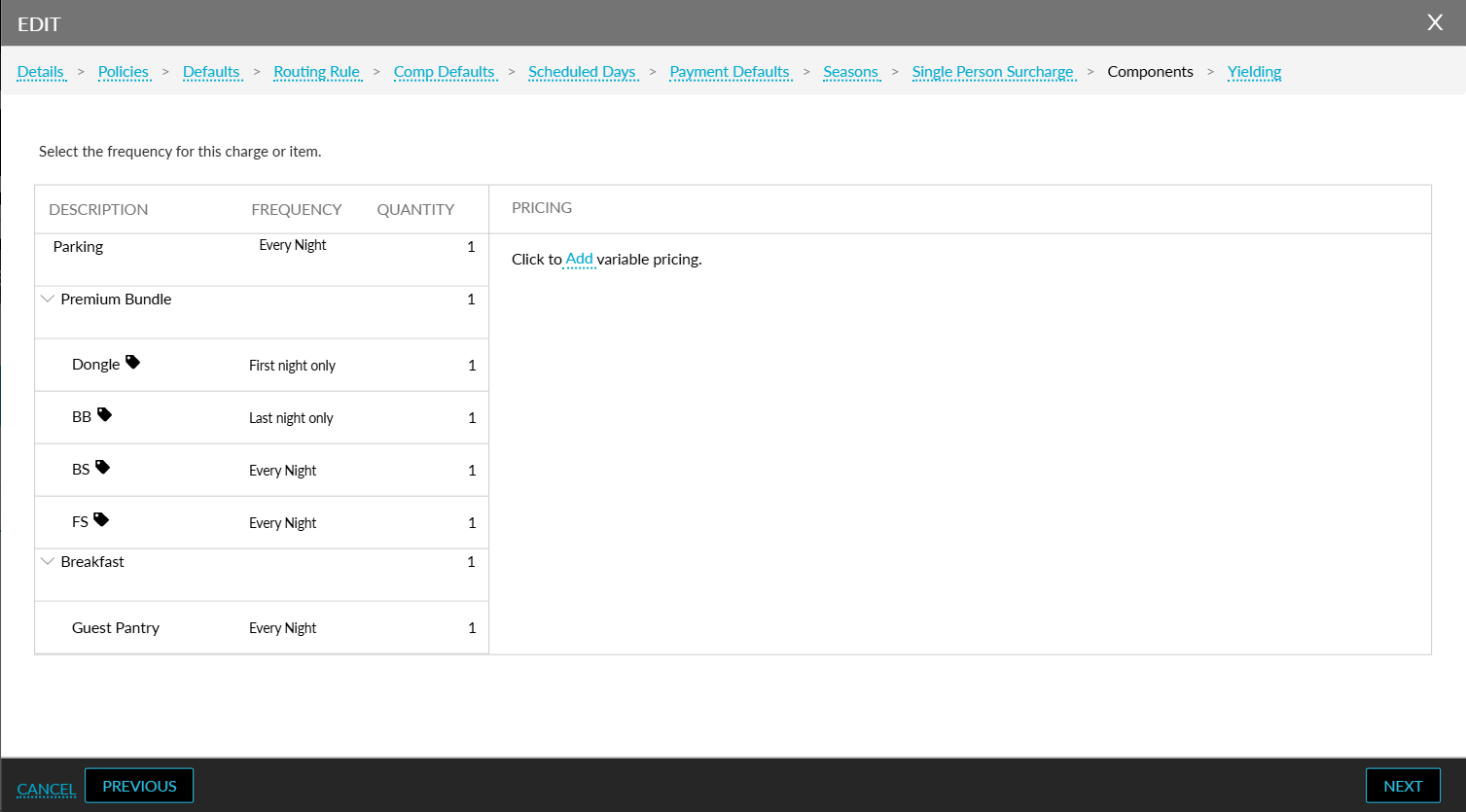
When clicked, the following fields and columns are displayed:
|
Field |
Description |
|---|---|
|
Start Date |
This is a mandatory field that allows users to select a start date within the effective dates of the package. The variable price configured will be applied from the selected date. |
|
End Date |
This is a mandatory field that allows users to select an end date up to which the variable price configured must be applied. |
|
By Days of Week |
This is a mandatory multi-select drop-down list that displays the days of the week based on the selected date range. Users can select the preferred days on which the variable pricing must be applied. |
|
Amount |
This is a mandatory field that allows users to define the amount to be charged for the components for the selected date range and days. |
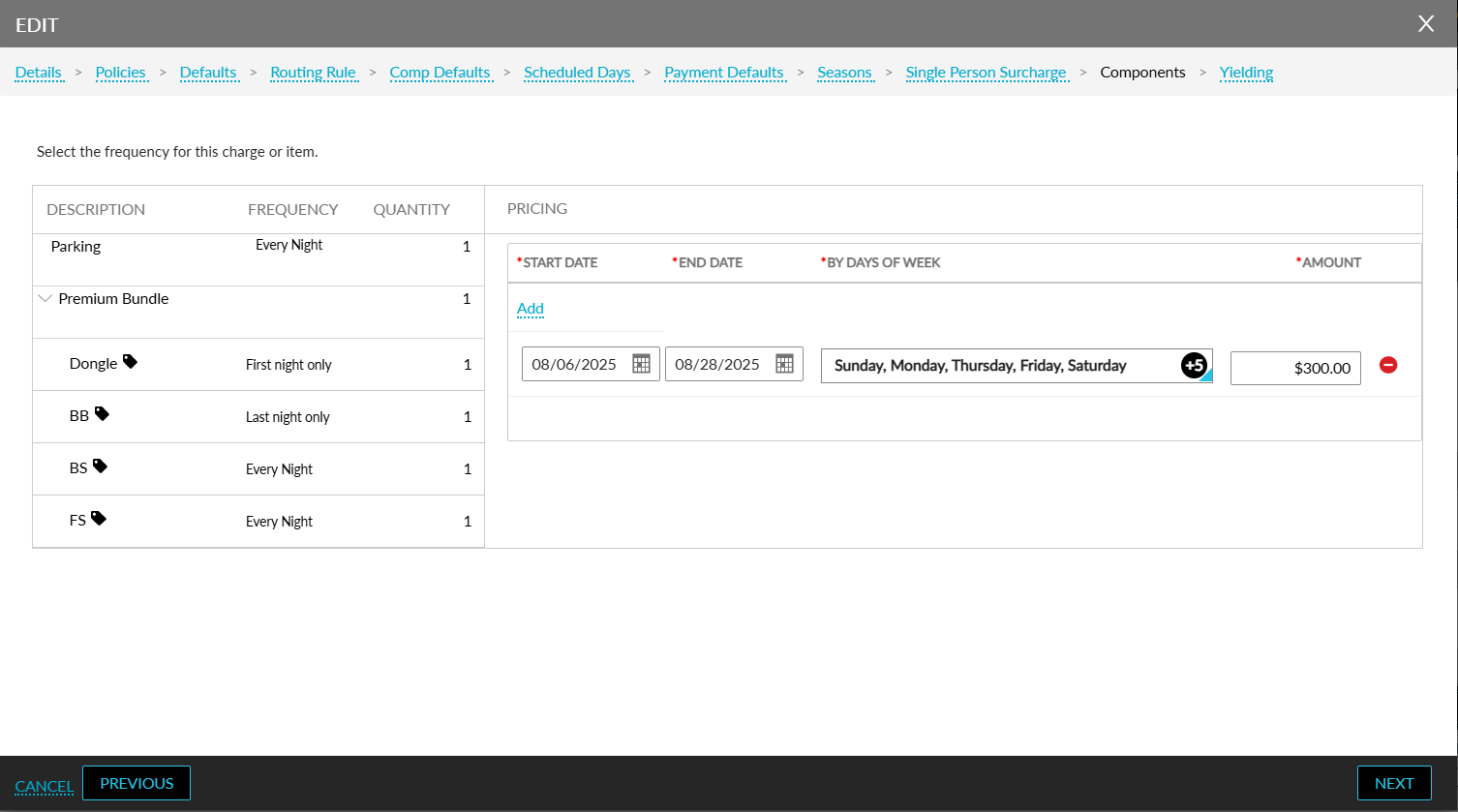
Multiple prices can be configured for different date ranges using the Add hyperlink. When users try to configure variable prices for an overlapping date combination, the following message is displayed: Rates have been configured for specified days. Users can delete the price configured for a date range using the delete icon.
The variable prices configured are applied for the selected date range and days of the week. For example, when a component in a package is set with a variable price of $50 for the weekends, and when a reservation is booked for the weekend, the guest is charged a price of $50 for the component instead of the base price.
The variable prices configured for the fixed and add-on components are indicated by an information icon displayed next to the component name in the Description column in the Summary section of the Components tab. When users hover upon the information icon, the following message is displayed: Variable Pricing.
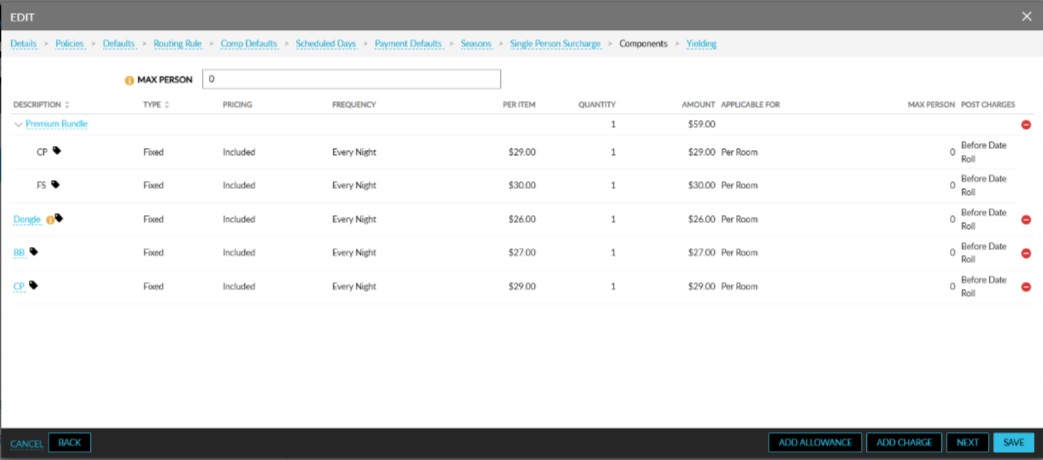
Variable prices can also be configured for allowance components. When an allowance component is selected for a package, a new field, Pricing Type, is displayed in the Charge section of the Components tab in the Add/Edit pop-up screens. This field displays the following radio buttons:
-
Included
-
Excluded
When users modify the components added to a package, the following validations are performed:
-
When the effective dates of the package are modified and the add-ons are inactive for the entered dates, the following message is displayed: One or more components are inactive within the selected rate effective dates.
-
When users deselect the System Configuration Only checkbox for the add-ons associated with a package, the following message is displayed: The add-on is added as part of configuration and cannot be edited.
-
When users try to deactivate the add-ons associated with a package, the following message is displayed: The add-on is added as part of configuration and cannot be edited.
A record is created in the Audit Log screen (Reports ➜ Audit Log) whenever new components are added or existing components are modified in a package.